
The most
Enterprise Password Management solution
Passwordstate is the new standard, trusted by Fortune 500 companies and Security & IT Professionals globally, and affordable to all.
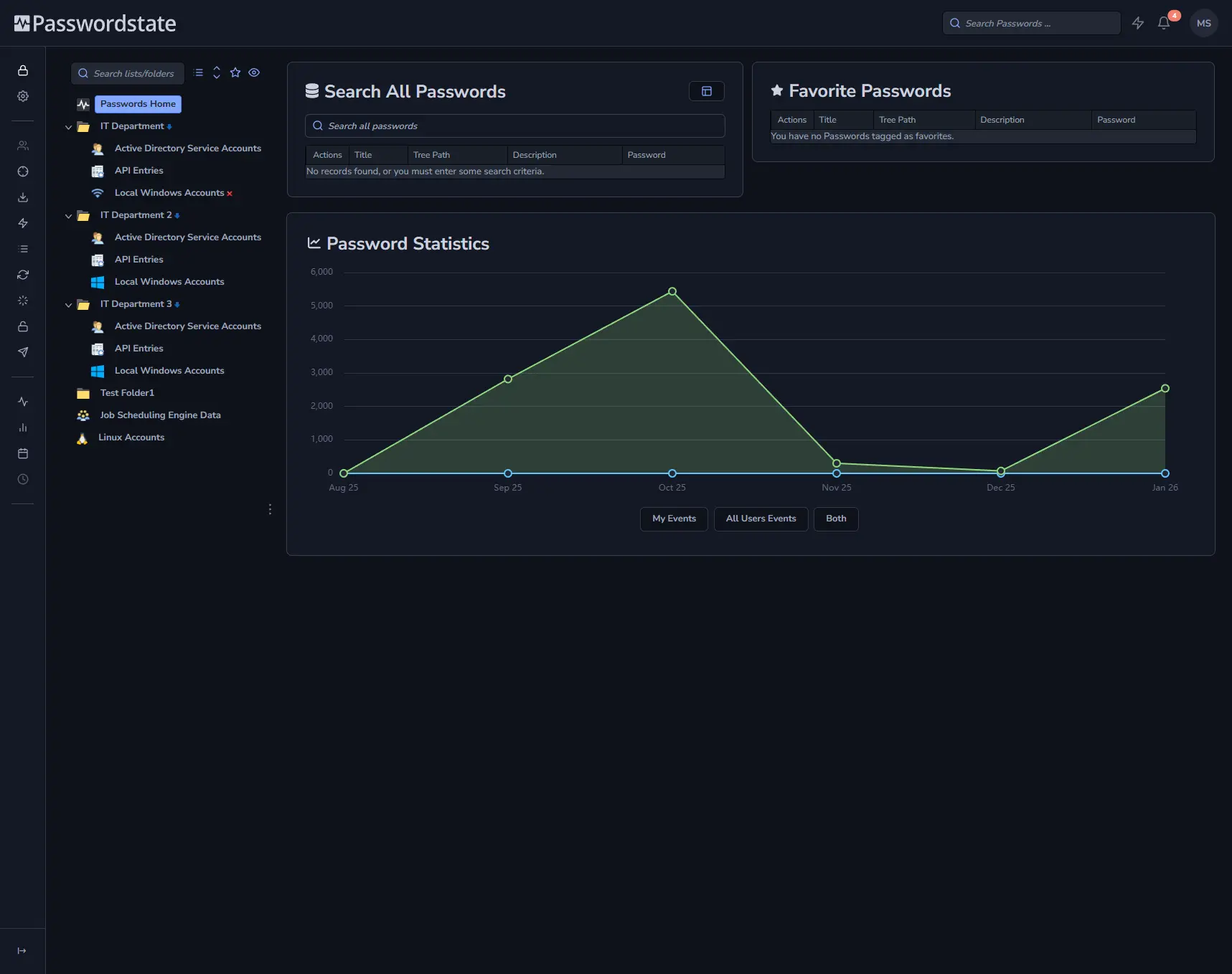
How Passwordstate secures privileged access

Centralise and Secure Credentials
Store privileged credentials in a secure, encrypted vault with granular access controls and role-based permissions.

Control Access and Automate Security
Enforce approvals, rotate passwords automatically, and audit all access to reduce risk and administrative overhead.

Audit, Monitor, and Scale
Maintain full visibility with detailed audit trails, reporting, and support for distributed and growing environments.
Passwordstate Overview
Passwordstate is a self-hosted enterprise password manager and privileged access management (PAM) solution that helps organizations securely manage, share, audit and rotate passwords, privileged credentials and other sensitive secrets.
Core Passwordstate Features
Passwordstate combines enterprise password management, privileged access management, secrets management, automation and auditing into a single self-hosted platform. Explore the capabilities below to see how Passwordstate helps secure privileged credentials across your organization.
Secure Code & Data
Protect stored credentials with 256-bit AES encryption, plus obfuscated .NET assemblies and precompiled ASP.NET pages.
Role-Based Access Control
Apply granular permissions for password access, administrative tasks, and feature usage without reducing productivity.
Two-Factor Authentication
Strengthen authentication with 18 MFA options including Duo, YubiKey, TOTP, and Google Authenticator.
Auditing & Compliance Reporting
Track and report on 120+ events to support compliance requirements such as SOX and PCI DSS with configurable auditing.
Near Real-Time Notifications
Configure 55+ email notifications for critical events with user preferences supported and centralised control.
Webhook Integration
Send selected auditing events directly to external platforms using Webhook integrations.
Remote Sessions to Hosts
Launch RDP, SSH, Telnet, and VNC sessions without manual credential input, with centralised session management and auditing.
Self Destruct Messages
Allows organizations to securely share highly confidential information such as passwords, credentials, or sensitive instructions.
Automated Account Discovery
Discover administrator accounts, services, IIS app pools, scheduled tasks, databases, Linux, firewalls, and more across your network.
Reset Passwords Everywhere
Automate password resets across platforms including AD, Linux, routers, databases, and more with on-demand or scheduled resets.
Application Programming Interface (API)
Eliminate hard-coded passwords and automate credential retrieval, updates, and creation using the Passwordstate API.
Active Directory Integration
Import users and security groups from Active Directory, synchronise account status, and manage permissions for streamlined access.
Job Scheduling Engine
Allows organizations to centralize the management, execution, and auditing of operational scripts and automation tasks across their infrastructure.
High Availability & Disaster Recovery
Maintain access to critical credentials during outages with the High Availability module built for business continuity.
Mobile Access
Securely access credentials using native iOS and Android apps, including offline access for on-the-go productivity.
Browser Extensions
Secure form-filling for Chrome, Firefox, Edge, and Brave with centrally managed credentials and OTP codes, plus auditing.
Password Reset Portal
Enable users to securely reset their Active Directory passwords or unlock their accounts without contacting the IT service desk.
Key Capabilities
A Simple Three-Step Process
The Password Reset Portal guides users through identification, identity verification and account recovery using a straightforward browser-based workflow.
Step 1 – Identify
The user identifies their account using their Active Directory username.
Step 2 – Verify
The user verifies their identity using the Secure Verification Policy assigned to their account.
Step 3 – Reset or Unlock
The user resets their password or unlocks their account after successfully completing verification.
Remote Site Locations for MSPs
Passwordstate securely manages privileged credentials with automated discovery and password resets. The Remote Site Locations module extends this control to firewalled or disconnected networks, simplifying management while reducing operational overhead.
Securely manage privileged accounts across segmented networks and firewalled environments with Passwordstate’s Remote Site Locations module - built for enterprise control at scale. Designed for distributed organizations, it provides secure connectivity and centralised governance while supporting disconnected or restricted network topologies.
Enterprise-grade capabilities
Secure connectivity across networks
Maintain control of privileged accounts across internal and external firewalled environments.
Account discovery and automation
Run discovery jobs, automate password resets, and validate account heartbeats for compliance.
Remote access with full auditing
Initiate secure sessions while enforcing access controls and maintaining audit visibility.
Optimised for scalable enterprise needs
Remote Site Locations integrates with your existing infrastructure to reduce administrative overhead and improve operational consistency - whether you’re supporting geographically dispersed sites or enforcing governance in highly segmented environments.
Example: Segmented Network Architecture
Diagram shown for illustrative purposes. Remote sites connect securely back to your internal network boundary.
Why Choose Passwordstate?
Here are a few reasons why our customers choose Passwordstate.

On-premise or in Your Cloud
Host Passwordstate on your infrastructure or in a private cloud like Azure or AWS - flexible to fit your needs.

Mobile Access, Anywhere
Securely access passwords with our native iOS & Android apps, even when working offline.

PAM, Resets & Remote Sites
Enterprise-class privileged account management with optional self-service password reset and remote site modules for distributed environments.
Solutions Offered
Explore our wide range of cutting-edge technologies.